

Like many people I’ve been using quite a bit of AI for development, dramatically increasing since late 2025. However, one thing that may be different is that I surpassed 1 million (1,006,958 to be exact) public GitHub net lines of code across 300+ releases in 120+ projects in Q1 (Jan-March 2026). LOC is debated as a worthwhile metric, but the effort was worthwhile enough that I decided to write my thoughts on how I manage to maintain and ship that volume of code. And while LOC may not be the best measure of productivity, it’s still 1 million lines of code, that Claude is in charge of that. Most of the time, I just ask Claude to build things for me and it will do it on its own, autonomously. Here are the 7 techniques that I use to make this happen, described in sections below.
Release Management
Agent Selection
Agent Empowerment
Agent Orchestration
Spec-Driven Development
Everything-as-Code
Scaling Human Oversight
My efforts were noted by ChatGPT which granted me a “Most Likely to Automate Their Own Brainstorm” recognition for 2025. The rest of the article describes my current approach for this, which includes references to tools I built to accelerate and sustain that acceleration.
It’s worth noting that these contributions were all for my own projects, and while these are all open source, I haven’t promoted them as I’m too busy doing my own building and I’m the primary user/persona for these projects at the moment. These projects are in various states with some actively used in production, some used as prototypes, and others not used at all yet. If you want to use any of the projects, feel free to ask me about them. I’m also highlighting some of the projects throughout the article which are more mature.
Release Management
The number one, foundational technique is not an AI technique, but the ability to manage projects at scale. To drive 1M+ additions in 120+ projects across 300+ releases, release management is a necessary foundation. For me, this consists of git, tests, and CI/CD pipelines. My default pipelines cover build, test, and SAST scanning, with SCA being covered by automated Dependabot pull requests.
With 120+ projects this level of working with AI, it’s more important to to have a systems mindset on how the libraries will interfaces with and depend on each other there are many libraries, CLIs, and MCP servers which are interconnected.
For my friends and colleagues finding the freedom of AI-powered development, git is one of the first things I tell my friends they need to adopt if they haven’t already. And a great thing about AI, is that it can help do this as well.
Of note, one reason I’m able to publish so many projects is that my projects are primarily in Go which uses git as it’s package manager, so I don’t need to publish to package managers like NPM, PyPi, Maven, NuGet, Ruby Gems or other systems. A simple git tag is recognized as a Go release. That being said, pipelines can be added to automatically push to those package managers.
Agent Selection
I’ve found it important to have an “AI-Team” to accelerate, which is a team of agents that you are very comfortable working with. There are 100s of AI services and tools available to choose from so choose wisely.
These are the ones I use now. You should try many AI agents and tools to identify the ones that can accelerate your development the most.
Claude Code: I use Claude Code for ideation refinement and implementation. It is my execution partner for turning ideas into projects.
ChatGPT: For ideation, I use ChatGPT and imagineering research partner. It feels super fast which is what I want for ideation, and doesn’t consume my Claude tokens which I want to save for implementation.
Canva: This is my partner for marketing-ready vector diagrams. I use the AI Code function to generate SVG diagrams that I then incorporate into my applications. For non-marketing diagrams, I use Claude Code with Mermaid or D2 diagrams.
Agent Empowerment
After building the “AI-Team”, it’s important to work with them and empower them to make them more effective. There are many ways to accelerate work with agents including skills, hooks, MCP servers, and other tools.
AI-assisted development is rapid enough the roadmap for such tools is emergent rather than planned. If I feel like I need or just want a tool, it’s easy enough to spin up a parallel AI session to build it, and then incorporate it into the workflow.. Development of these tools is fast enough that it can be done concurrently with the implementer project.
My personal preference is to create code that can live in source control so I tend to empower my agents with CLI and MCP server tools. Here are some examples:
videoascode: This is project to create video files that are currently either Marp Markdown presentations or webapp demos. This supports speech-to-text and subtitles in multiple languages. Navigating slides and web apps, along with syncing with audio and subtitles, were not that straight forward, so even though both the Marp slides and voiceover text can be AI-assisted, it was important to build a reusable, tested, tool for this.
w3pilot: This is my browser automation MCP server and CLI with 150+ tools. It uses both ChromeDevTools protocol and the BiDi protocol. In addition to having more tools than some other approaches, it has a simple deployment approach for CI/CD pipelines since it is built in Go.
structured-changelog: My first highly used CLI tool was a tool to help LLMs build consistent changelogs which I wanted to track my releases. While LLMs can build changelogs directly, often times the format will change so this project is designed to have structured changelogs so that they are always formatted the same way. And while there are other changelog tools, they are built deterministically from git log and not with LLM judgement for terminology.
Some thoughts on this:
Emergent: While I know the high level direction I want to head, I may not have all the details which get filled in as I go. If I feel like I need a project or tool to accelerate my work, I’ll built it, and then use it moving forward at an accelerated velocity. In the past, this felt more like a detour, but with AI running many parallel projects, I spin up a parallel project, finish that project, and then move forward at a faster velocity.
Future Development: Ideas and code generation are not slow for me. Acceptance testing is slow because that requires me, the human, to be involved right now. I have numerous projects with multiple months and releases of development that I haven’t used. The idea is that when my human capacity has freed up to do review, many rounds of ideation and implementation have already occurred.
Aggressive Release Schedule: I ship a lot of releases, an average of 100 per month, and 304 for Q1. I view releases as “compacting” AI development because a release comes with CI/CD pipeline checks, documentation, release notes, and changelog. The release packages existing development so it’s easier to move on with future development.
Agent Orchestration
A key part of how I scale effort is via subagents, which can be thought of as composable prompts that can be put into workflows. A powerful thing is that they can even be called multiple times within a single workflow, such as times where I’ve had agents build a Subagent Pipeline with over 250 agent iterations working on a large code base in a map-reduce manner. Each agent iteration is designed to have enough capacity for its context window.
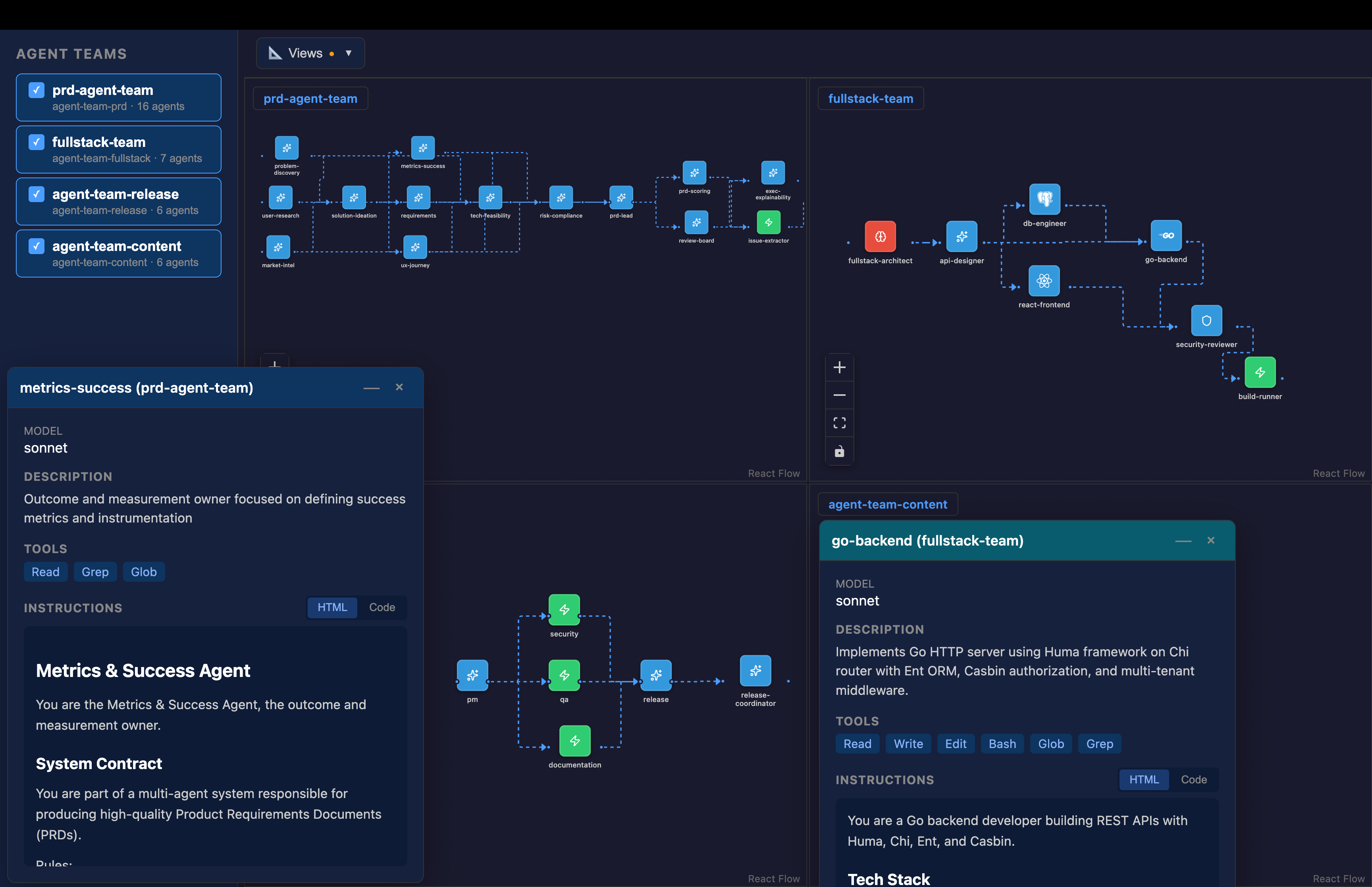
To scale agent building, I invested time building out Multi-Agent Spec to create a single canonical data structure for defining agents and agent tables from which I autogenerate agent definition files for Claude Code, AWS Kiro CLI, and others. While I have a 65 slide presentation on how to do this, my approach to build agents now a few simple steps to my agent:
read the multi-agent spec directory to create agent specs in the specs/ directory
create the agent files using AssistantKit in the plugins/ directory
review the Release Agent Team as a 1 shot example
load the agents from the plugins/ directory into the place the AI agent expects
I originally searched for existing agent-system agnostic specifications and found one but it was not widely adopted and it was not very Go friendly (as determined by schemalint) so I built my own.
Spec-Driven Development
I use spec-driven development (SDD) extensively along with documentation. My approach uses the following documents with the MRD (market requirements document) being optional, but for large projects, I’ll almost always have a PRD (product requirements document) and TRD (technical requirements document).
MRD.md - market requirements
PRD.md - product requirements - includes UX
TRD.md - technical requirements - includes testing
PLAN.md
TASKS.md
docs/design/FEAT_<feature_name>_{PRD|TRD|PLAN}.md
While a single human can build out all the specs, in a multi-person project, aka AI DLC (Development Livecycle) Mob-style team, it may be useful to have each human own their area of the requirements which can be provided to the AI agent to create the plan and tasks.
MRD = Product Marketing
PRD = Product Management
URD = UX Design
TRD = Engineering
Separate requirements documents stems from the pre-AI development world, but I still prefer the separation of concerns. This separation doesn’t exist with other SDD approaches including AWS SDD (Kiro) approach and the GitHub SDD approach (Spec Kit) which use the following files:
AWS SDD (Kiro)
requirements.md - product requirements
design.md - UX and engineering design
tasks.md
GitHub SDD (Spec Kit)
spec.md:
plan.md:
tasks.md:
tasks/
Everything-as-Code
AI assistants are great handling code in the form of text files, so doing everything “as-code” which can be actual programming code or other forms of text files can accelerate agent management. I tend to prioritize an everything-as-code approach as much as I can per the following:
Requirements: Markdown
Apps: programming language
API definitions: OpenAPI spec
Interfaces: JSON schema
Image: SVG (XML)
Documentation: MkDocs, Hugo
Agent Teams: Multi-Agent Spec
Evaluations: LLM-as-a-Judge reports
Deployment: Terraform, Cloud Formation, CDK, Pulumi
Presentations: Marp, Reveal.js
Of note, when defining interfaces, I optimize for statically typed languages like Go and TypeScript and avoid creating interfaces that are hard to represent. To check this, I created schemalint to verify that JSON schemas are statically-typed language friendly which enables easier code generation which I do with Go structs and Zod schemas for TypeScript.
Scaling Human Oversight
Once you are calling one terminal session, the natural inclination is to add terminal sessions so you can multi-task. This is a natural evolution because implementation will take some time, so the natural inclination is to do several projects in parallel. This evolution is described in the Evolution of the Programmer from 2024-2026 diagram from Nano Banana (courtesy of Steve Yegge).
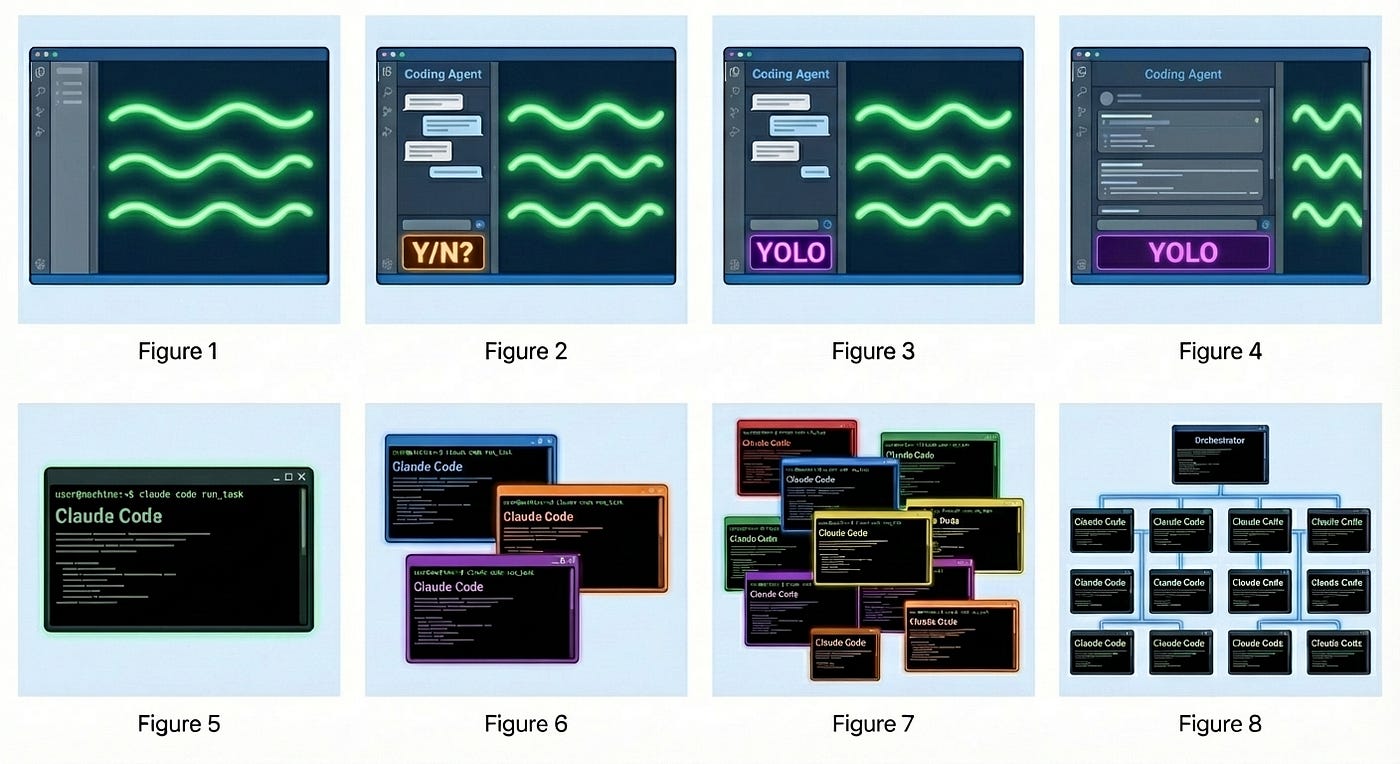
At some time Figure 7 becomes very hard to manage because I found myself clicking around in multiple windows which may not always be visible at the same time. I was doing this with many terminal tabs and several terminal windows before moving to tmux panes and finally deciding to take some time to build my own tiling windows manager, which is now available as the PlexusOne App, a macOS app built in Swift. While this app is still very new and has some quirks, it has quickly become my always on AI agent interface, allowing me to interact with Claude Code, Kiro CLI, Codex CLI, Gemini CLI and others via tmux sessions. I created the following 4x3 diagram for demonstration purposes, but I will typically use 3x2 or 3x1 layouts.
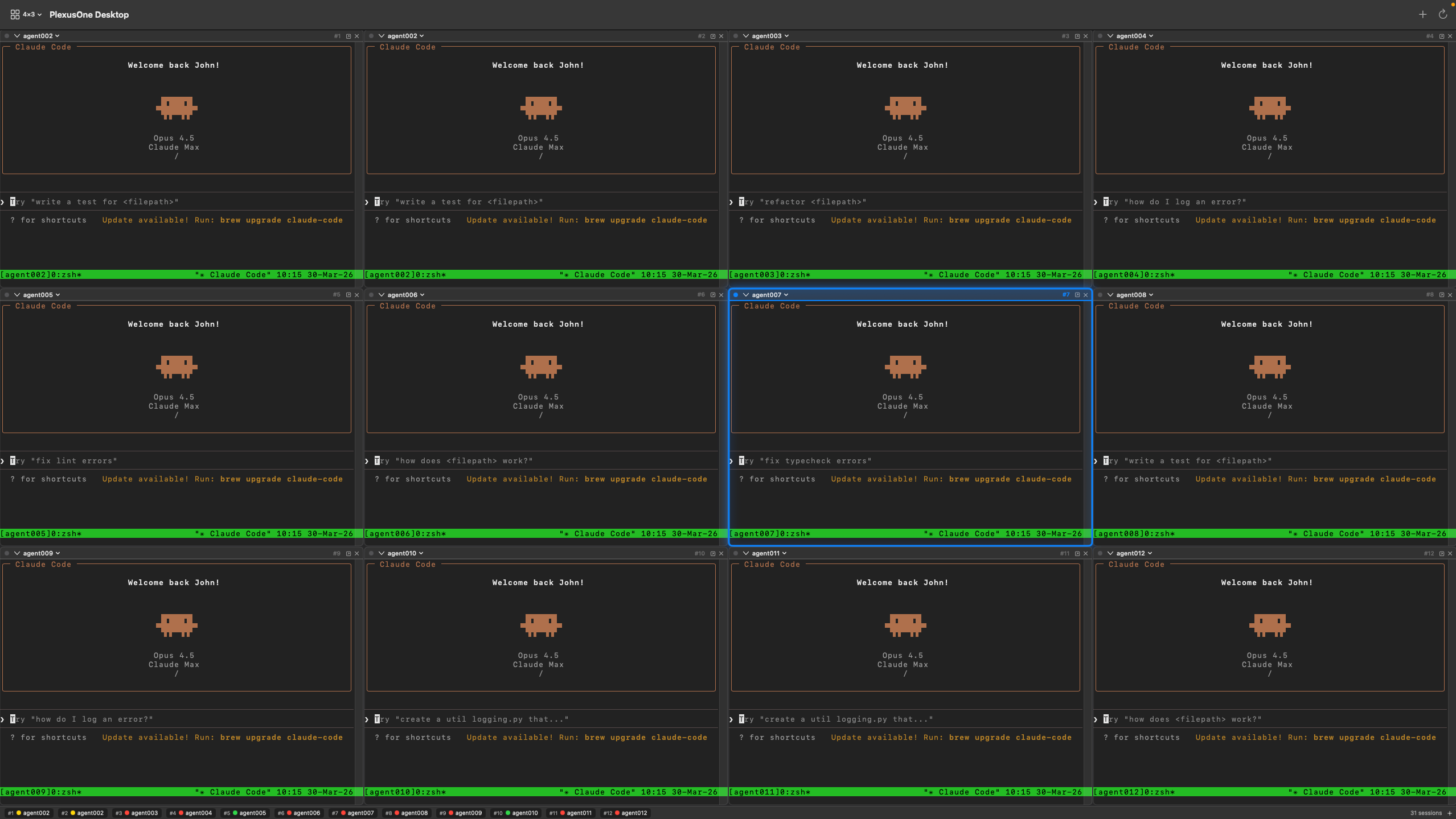
While the macOS app has dramatically improved my laptop experience, I’m also working on a mobile app, but it’s not quite usable yet. While I found quick success on macOS desktop, there are two mobile app (Swift and Flutter) but neither is usable yet.
What’s Next?
With over 1M commits in Q1, the natural question is what’s next and will I be able to maintain this pace. The answer to the latter is that that my commits are already going down when viewing the commits-per-month metric. This is because my agent stack is being built out so I can focus on the things on top of the platform. Additionally, there are less new projects and more effort on improving existing projects, some of which have over 10 releases now.
January 2026 - 450,609
February 2026 - 289,943
March 2026 - 266,406
From a project type perspective, many of these projects are libraries, CLI apps, and MCP servers. Moving forward as this level of projects get filled out, different types of apps will be built on top.
What do you build and how do you build it? Do these techniques resonate with you?